

Drivers
GEAR licenses our CD/DVD recording 'drivers' to many companies to add CD/DVD recording capabilities to their software products. This driver interface provides the connection between their software application and the user's operating system and hardware.
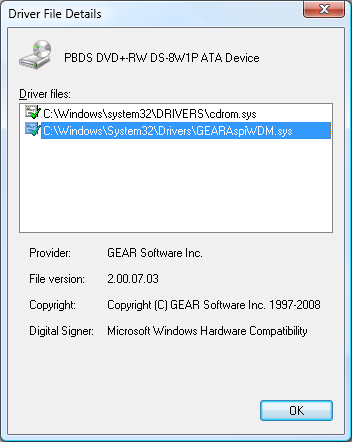
Note: The GEAR drivers are signed by Microsoft Windows Hardware Compatibility, therefore are completely compatible with Windows Vista.
To ensure your recorder works with the GEAR 'drivers' we recommend downloading a fully functional trial of a GEAR Software product.
If you have lost or do not have recording capabilities within your GEAR Powered Product after upgrading or installing, please download and install the latest GEAR drivers (below) for your system.
Solutions to common issues with GEAR Powered Products are available on this Knowledgebase Article.
Downloads
GEAR Powered Product – What is that?
Any product that includes the GEARApsi.dll or GEARAspiWDM.sys recording 'drivers' is considered to be a 'GEAR Powered Product'
Examples of 'GEAR Powered Products'
- Apple's iTunes for Windows

- Symantec Backup Products, i.e. Norton Save & Restore
- More GEAR Powered Solutions
GEARAspi Security Information
It has come to our attention that a security vulernability...read more 
GEAR Drivers Issues
We have posted an RSS feed regarding the GEAR 'drivers' and issues using them with GEAR Powered Products.
 GEAR Drivers Issues
You will need an RSS News Reader application, like Google Reader, or an RSS-capable web browser, i.e. Internet Explorer 7 or higher, Firefox 3 or higher, etc.
What is gearsec.exe?
For more information on the gearsec.exe driver, please see the this KnowledgeBase article:
Why is gearsec.exe running on my system?
If you have additional questions or feedback, please visit our Support Forums.